Waterjet Cutting Software

High-performance machinery requires intelligent, intuitive software to unleash its full potential. From initial CAD drawing and automatic nesting to real-time CNC control on the shop floor, specialized waterjet cutting software bridges the gap between design and finished component. At Water Jet Sweden, we equip our machines with industry-leading CAD/CAM and HMI software packages designed to simplify daily operation, minimize material waste, and guarantee unyielding cutting precision.
Designed for Precision, Built for the Operator
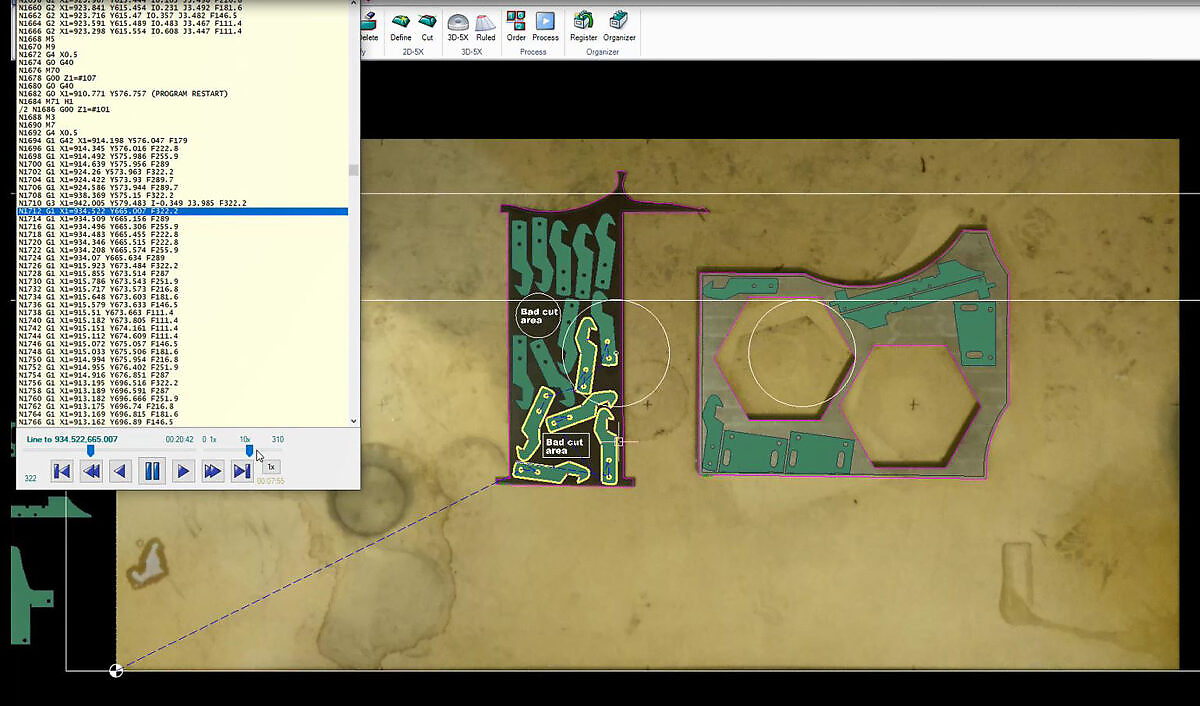
Even the most robust mechanical cutting bed depends on accurate toolpaths, optimal feed rates, and seamless operator control. That is why we integrate software solutions developed explicitly for the unique characteristics of the waterjet process—such as stream lag, taper compensation, lead-in geometries, and material-specific cutting speeds.

Whether you are executing standard 2D sheet nesting or programming complex 5-axis 3D components, our software packages ensure fast setup times, low material waste, and a user-friendly experience for your operators year after year.

Core Software Solutions

We provide a complete software ecosystem covering both pre-production programming (CAD/CAM) and machine floor control (HMI):

IGEMS 2D CAD/CAM Software

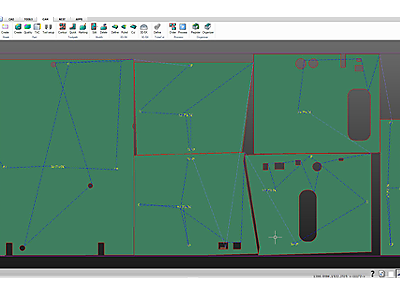
  • Waterjet-Specific Algorithms: Tailored specifically for waterjet cutting, IGEMS calculates precise cutting speeds based on material type, thickness, and required edge quality.
  • Automated Nesting & Material Savings: Powerful nesting modules automatically arrange parts to maximize sheet yield, reduce raw material waste, and lower your unit cost.
  • Optimized Toolpaths: Automatically generates clean lead-ins, corner loops, and pierce points to protect part edges and maintain high cutting precision.

IGEMS 3D5X for Advanced 5-Axis Processing

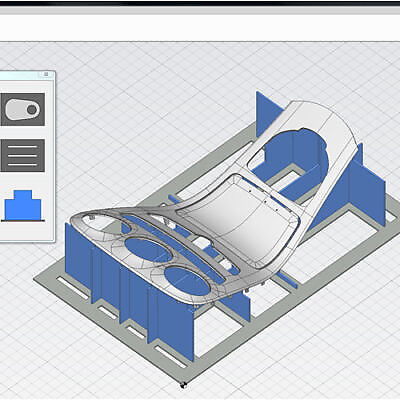
  • Complex 3D Geometry: Designed for 5-axis and bevel cutting applications, converting complex 3D CAD models directly into smooth CNC machine code.
  • Beveling & Taper Compensation: Calculates dynamic tool-tilting to produce perfect chamfers, weld preparations, or eliminate natural stream taper on thick plates.
  • Collision Avoidance: Simulates multi-axis toolpaths before cutting begins to ensure safe, repeatable movement across complex surfaces.

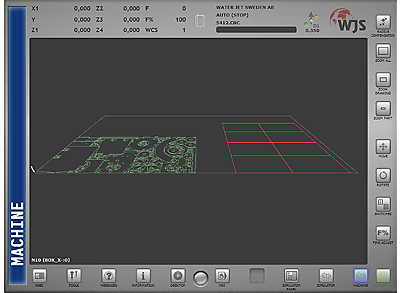
PanelOne® HMI with Edgecut 3 Operator Interface

Intuitive Touchscreen Control: Features a modern, user-friendly interface equipped with a touchscreen and joystick instead of traditional, cumbersome keyboards.

Clear Process Visibility: Offers extended graphic previews, visual block search, automatic email error notifications, and real-time visualization of 3D toolpaths.

Future-Proof Platform: Built on Microsoft .NET for fast startup, seamless diagnostics, and effortless future updates.

Need Help Optimizing Your Software Setup?

Want to upgrade your CAD/CAM nesting modules or learn more about upgrading your machine to PanelOne Edgecut 3? Contact our support team in Sweden today for guidance and demonstration options.

Frequently Asked Questions

What software is used for waterjet cutting?

In waterjet cutting CAD/CAM software is used to create, import and prepare cutting files. It can support 2D and 3D programming, nesting and toolpath generation, and such, helping operators prepare jobs efficiently before production.

Water Jet Sweden offers IGEMS CAD/CAM, a waterjet specific CAD/CAM with functions adapted to the waterjet process, such as cutting quality, lead-ins, material optimization and production planning.

What is IGEMS CAD/CAM software used for?

IGEMS CAD/CAM software is used to create, import and prepare cutting files for waterjet cutting. It supports 2D programming, nesting and toolpath generation, helping operators prepare jobs efficiently before production.

Because IGEMS is developed specifically for waterjet cutting, it includes functions adapted to the waterjet process, such as cutting quality, lead-ins, material optimization and production planning.

What is IGEMS 3D5X used for?

IGEMS 3D5X is used for advanced 3D waterjet cutting and five-axis cutting applications. It helps generate toolpaths from 3D models and supports more complex cutting operations than standard 2D cutting.

This type of software is useful when working with bevel cutting, free-form cutting or advanced components where the cutting head needs to move in multiple axes.

When do I need 3D waterjet cutting software?

You need 3D waterjet cutting software when your production involves complex geometries, angled cuts, bevels or five-axis cutting. Standard 2D software is suitable for flat sheet cutting, but more advanced parts require software that can calculate toolpaths in several planes.

3D software can help improve accuracy, reduce manual programming and make it easier to produce advanced components directly in the waterjet cutting process.

What is Edgecut in PanelOne?

Edgecut is the HMI in PanelOne HMI, the operator interface used to control and manage the CNC waterjet machine. It allows the operator to interact with the machine, view the cutting process, and manage production in a clear and user-friendly way.

A modern HMI makes daily operation easier by providing operators with better control, improved visibility, and easy access to key machine functions.

How does software affect waterjet cutting quality?

CAD/CAM software affects cutting quality by controlling how the cutting path is created how the machine moves and how process parameters are applied. Correct programming improves precision, edge quality, lead-ins, corners and overall cutting performance.

IGEMS CAD/CAD is a waterjet specific CAD/CAM software. It provides powerful tools for users that allow them to easily and quickly generate efficient CNC files that will optimize the waterjet cutting process and give a high-quality result.

How do I choose the right software for my waterjet machine?

The right software depends on the type of cutting you need to perform. For standard flat cutting, 2D CAD/CAM and a nesting module may be sufficient. For bevel cutting, advanced 3D parts or five-axis cutting, 3D CAD/CAM software is usually required.

You should also consider how easy the software is to learn, how well it supports your workflow, what file formats you use, and how it integrates with the machine and operator interface.